Plantopedia
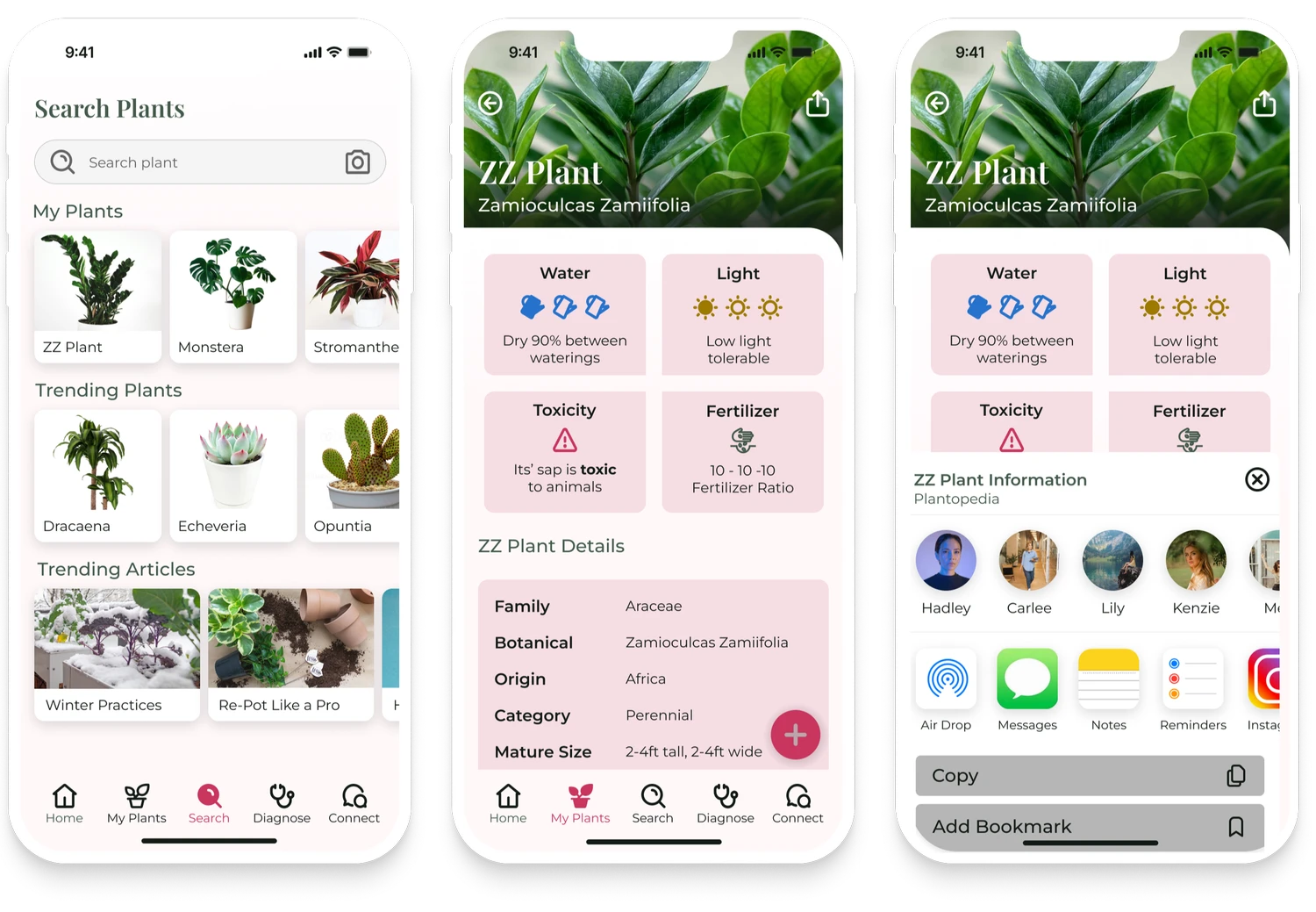
UX/UI research and mobile design project for a plant care companion app.
Project Overview
Role: UX/UI Designer (solo project)
Timeline: 12 weeks
Tools: Figma, FigJam, Miro, Maze (or similar tools you used)
Type: B2C app concept — plant care companion
The Problem
The challenge: make plant care feel simple, helpful, and confidence-building.
Plant owners often feel unsure how to care for their plants — especially busy beginners. Existing plant apps offer generic reminders or encyclopedias, but few help users make sense of care tasks tailored to each plant’s needs. As a result:
Users forget watering or fertilizing
Conflicting advice online creates anxiety
Tools don’t feel personalized or actionable
The Solution
Plantopedia! The plant encyclopedia app that reminds you when to take care of your plants, and how.
User Research
Methods:
• Secondary research — competitive products, user reviews, plant care patterns
• Primary research — user interviews & surveys
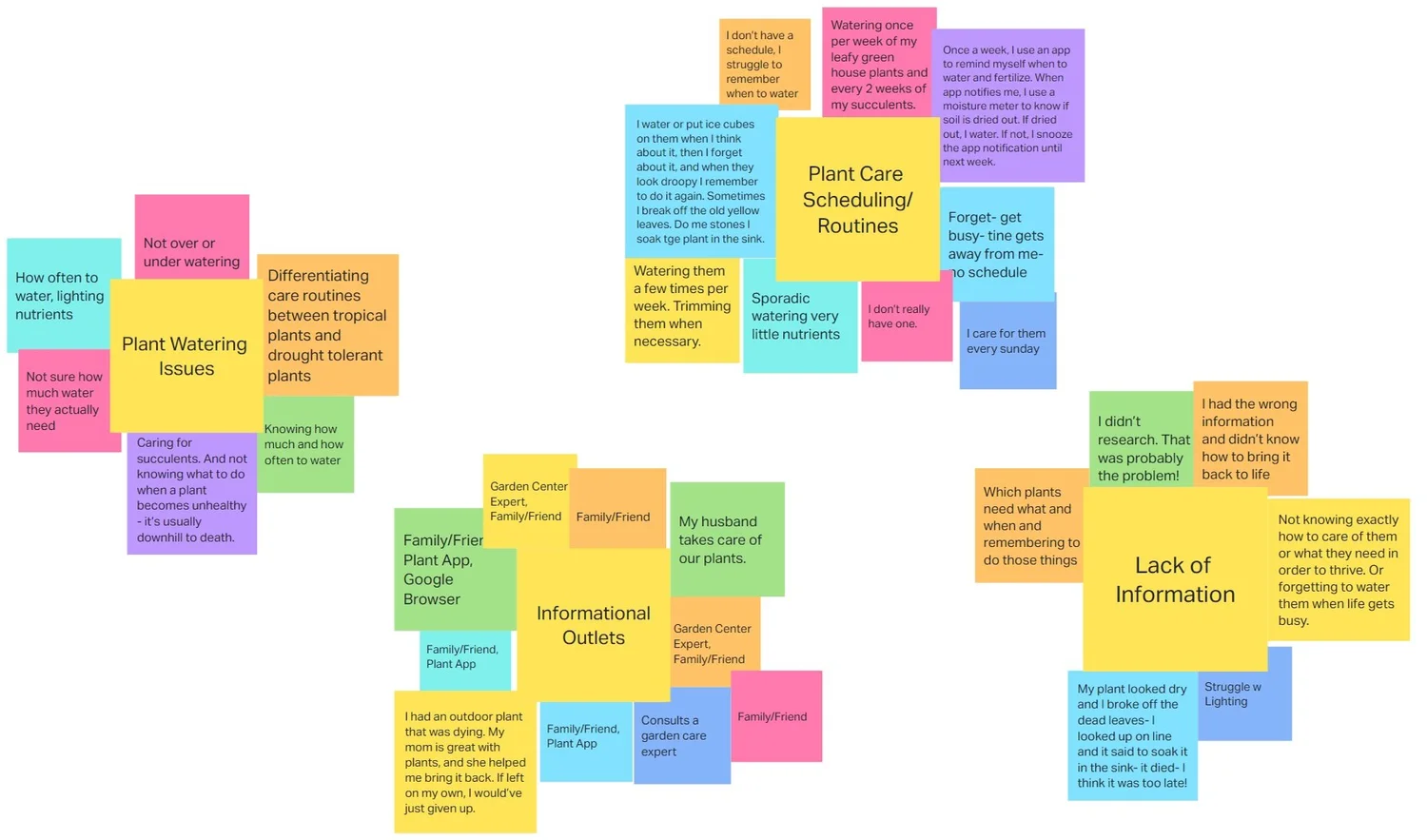
Key Insights:
Users want clarity on what to do and when
Most plant apps overwhelm users with too much info at once
Users like reminders but want them tied to actual plant needs
People learn visually and socially (photos + community guidance)
User Personas & Needs:
From research, I identified core user types (e.g., Busy Beginner, Curious Hobbyist, and Experienced Collector) and mapped their goals, pain points, and motivations.
Design Process
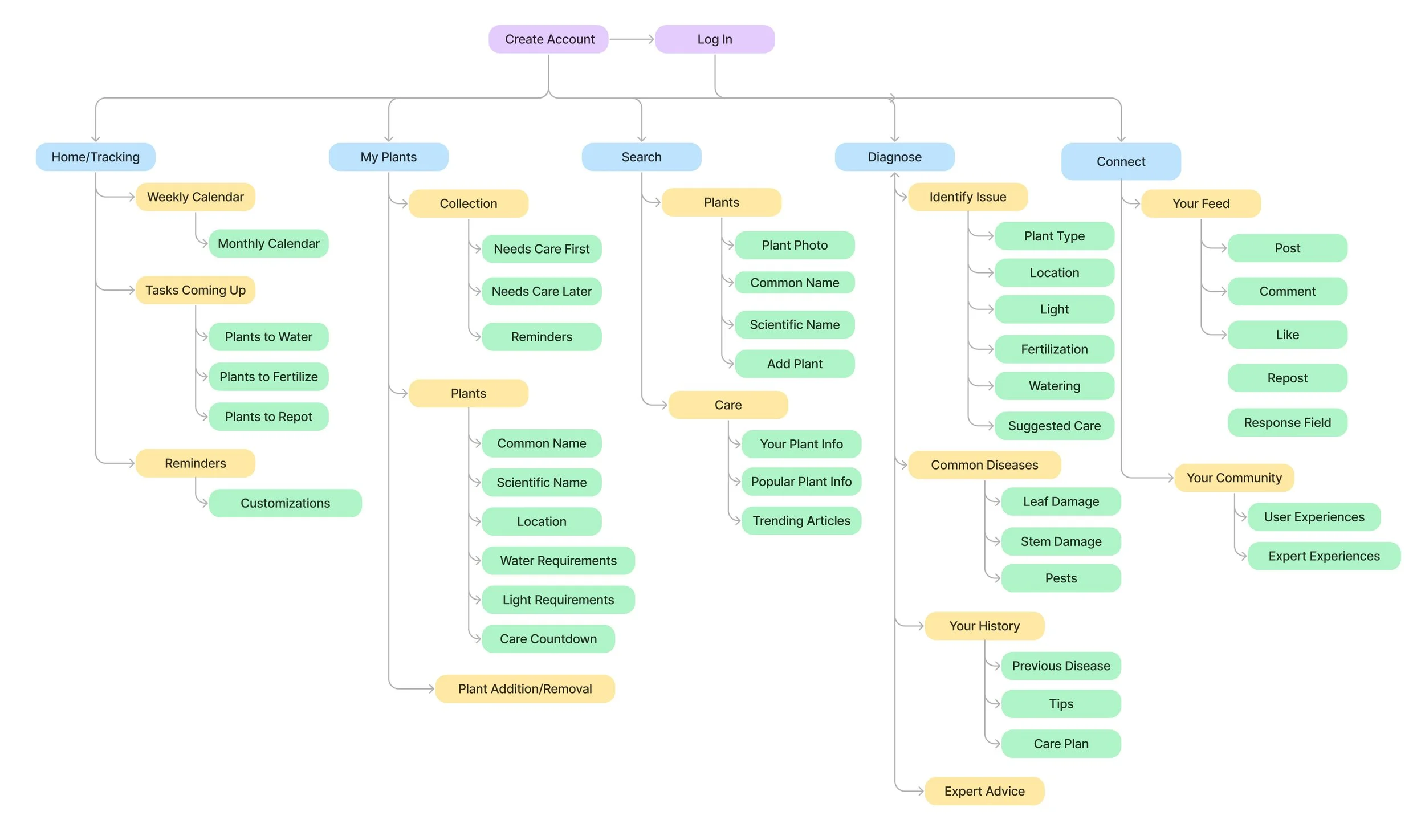
Information Architecture & Flows
I mapped core flows for:
Adding a plant
Diagnosing plant problems
Setting own reminders
Browsing plant care guides
This helped define screens and content groupings before ever opening wireframes.
Content Prioritization
Rather than overwhelming users with encyclopedic specs, I prioritized:
Actionable tasks (watering, sunlight)
Personalized reminders
Diagnostics (spot symptoms and suggest fixes)
Plant profiles
This kept screens simple and goal-oriented.
Wireframes & Prototyping
I developed multiple fidelity stages:
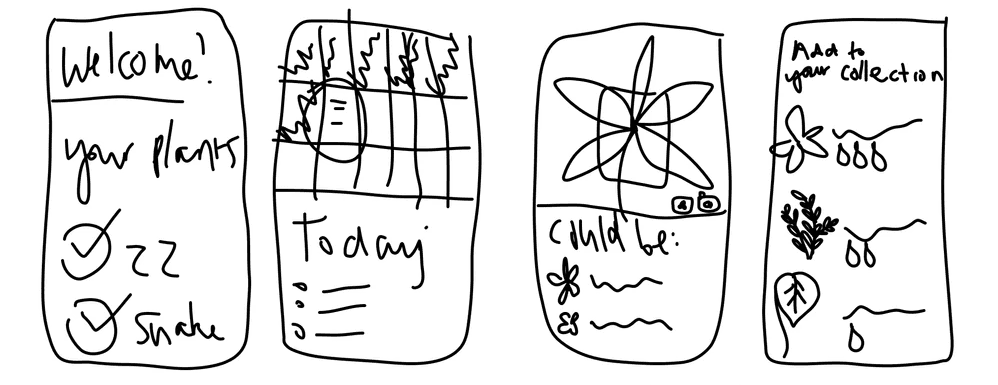
Lo-fi sketches to explore core screens and navigation
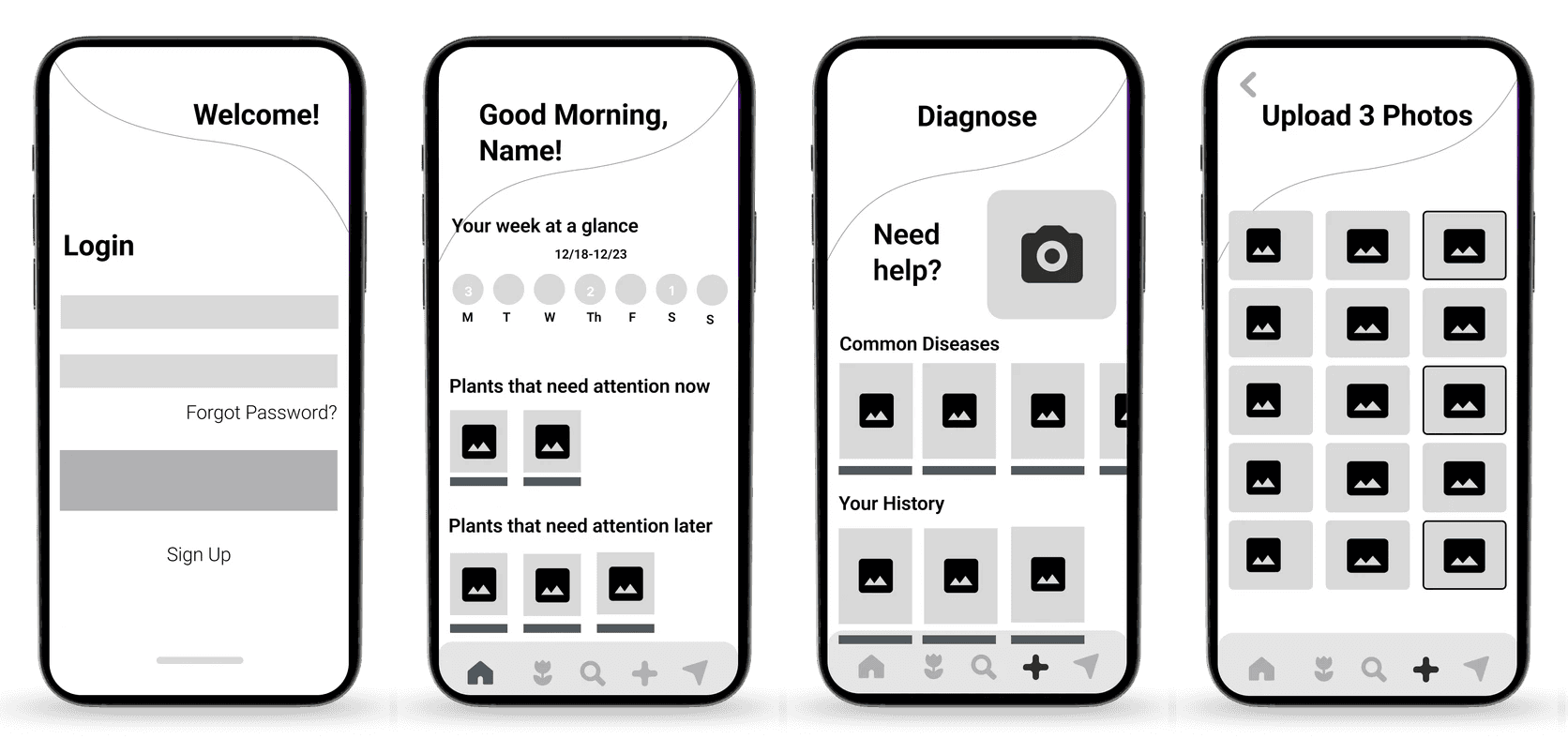
Mid-fi wireframes to refine layout and interaction patterns
Hi-fi prototypes to test visuals, micro-interactions, and messaging
Tools: Figma & interactive prototyping
Usability Testing
I tested core tasks with users:
Can they add a plant?
Can they understand and set reminders?
Can they identify a common plant issue?
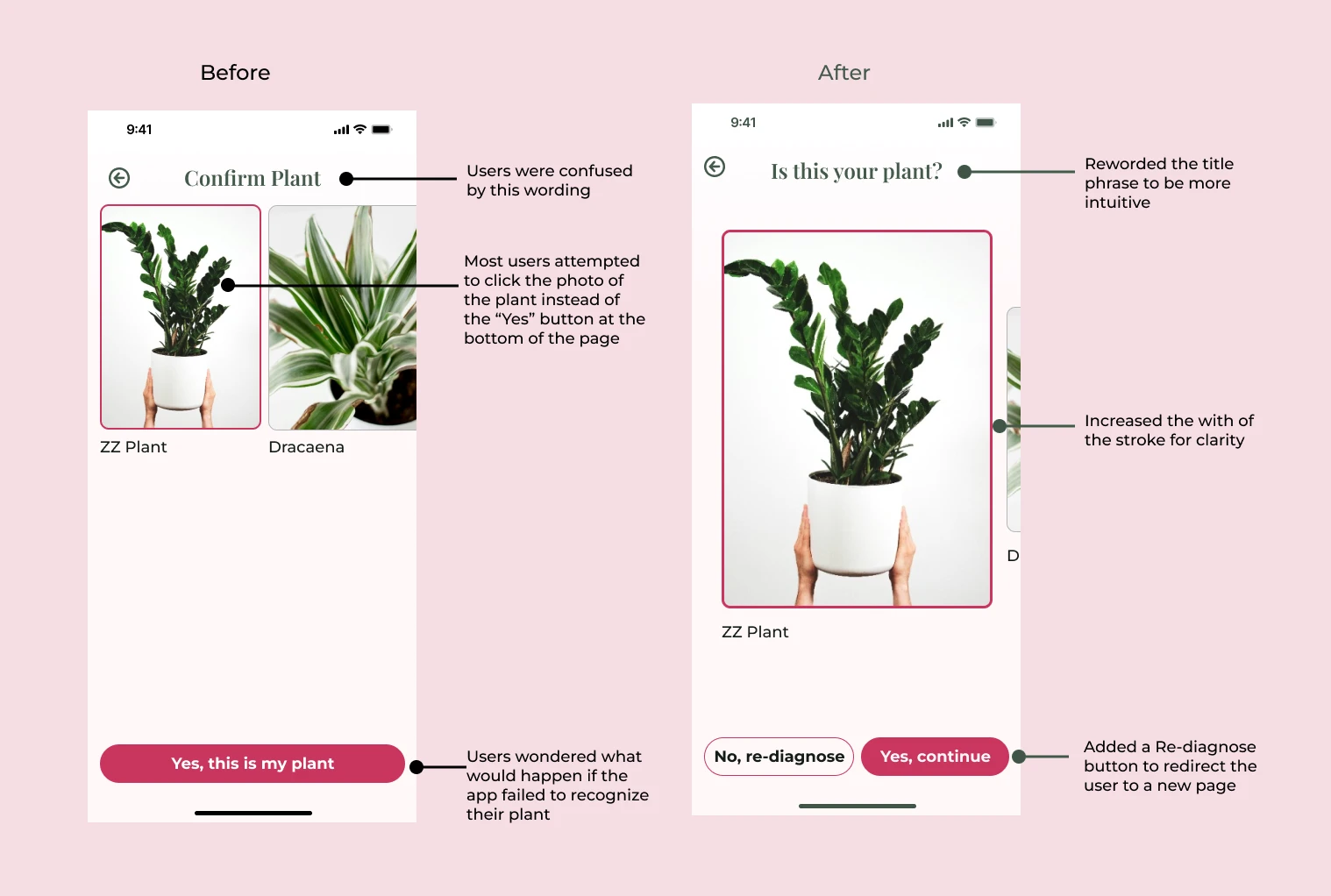
What I learned from testing:
Labels needed clearer language
Navigation needed stronger visual cues
Diagnostic feedback needed more empathy and fewer technical terms
I iterated accordingly to improve clarity and reduce friction.
The Solution
Plantopedia became a concept app that helps users:
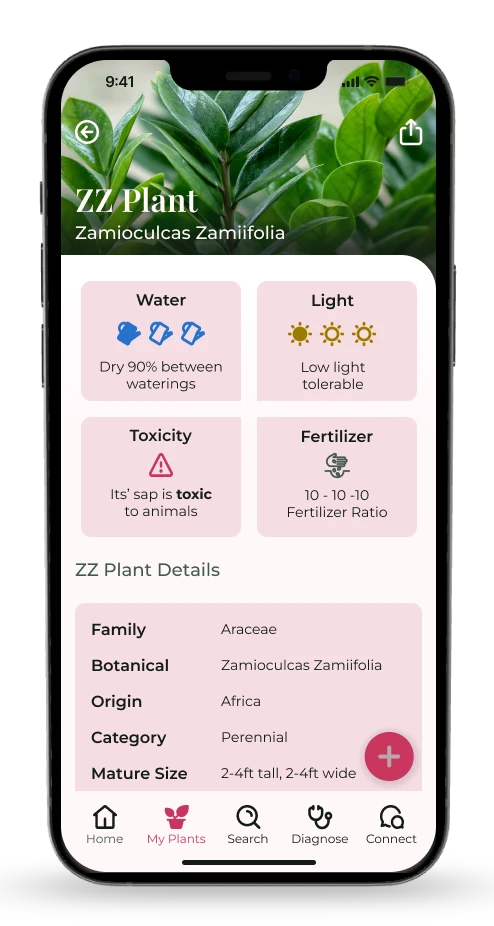
Add any plant and get care recommendations tailored to that species
Receive smart reminders tied to realistic schedules
Diagnose plant issues using simple symptom indicators
Build confidence over time instead of guessing
Key Features:
Personalized plant profiles
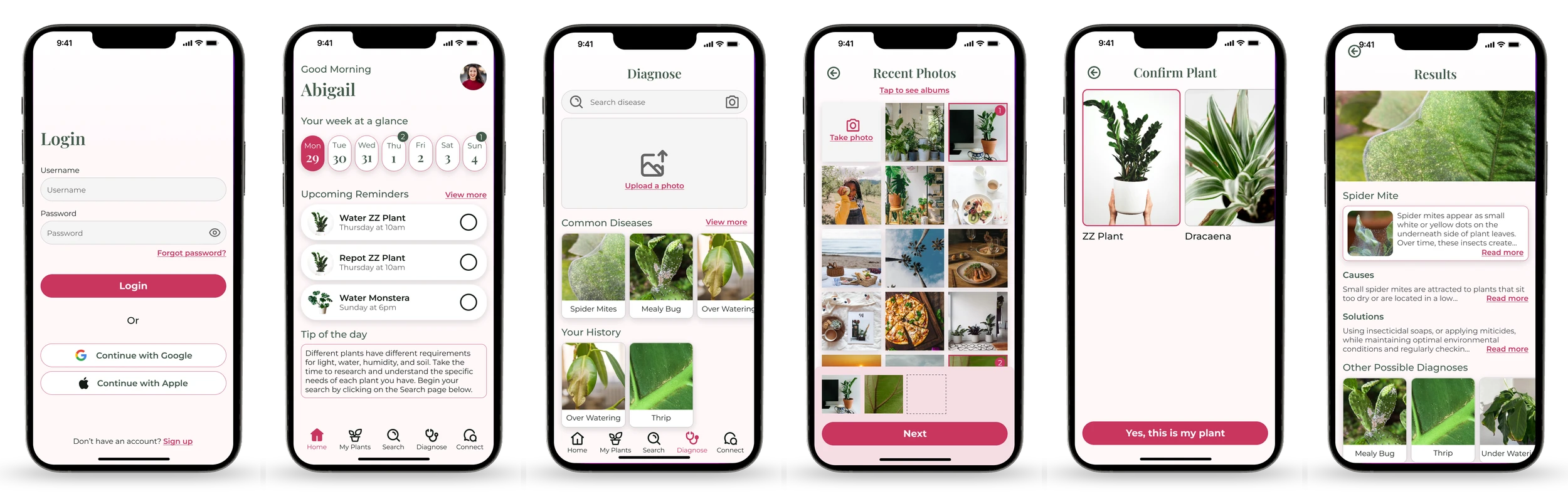
Action-oriented reminders (water, fertilize, repot)
Visual diagnostic guidance
Clean, inviting UI designed for low cognitive load
Outcome
Plantopedia delivered:
A user-centered mobile concept grounded in real research
Prototypes validated through usability testing
A simplified plant care experience that removes anxiety and judgment
A design system focused on clarity and delight
Users reported:
Feeling more confident about plant care
Less stress around remembering tasks
Appreciation for simplicity over “encyclopedia” style interfaces
Reflection & Next Steps
This project strengthened my skills in:
Translating qualitative insights into actionable flows
Balancing personalization with simplicity
Iterating based on real user feedback
If I continued this product:
I’d build a data-driven watering algorithm
Add photo-based plant recognition
Expand community features for peer support
Thank you for reading!